This Package allows you to perform step-into debugging using Roslyn!
PM> Install-Package ExpressionDebugger
Usage
Then add following code on start up (or anywhere before mapping is compiled)
TypeAdapterConfig.GlobalSettings.Compiler = exp => exp.CompileWithDebugInfo();
Now in your mapping code (only in DEBUG mode).
var dto = poco.Adapt<SimplePoco, SimpleDto>(); //<--- you can step-into this function!!
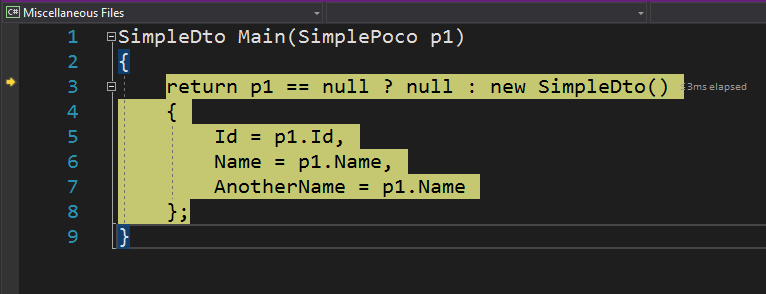
Using internal classes or members
private, protected and internal aren't allowed in debug mode.
Get mapping script
We can also see how Mapster generates mapping logic with ToScript method.
var script = poco.BuildAdapter()
                .CreateMapExpression<SimpleDto>()
                .ToScript();
Specifics for Visual Studio on Mac
To step-into debugging, you might need to emit file
var opt = new ExpressionCompilationOptions { EmitFile = true };
TypeAdapterConfig.GlobalSettings.Compiler = exp => exp.CompileWithDebugInfo(opt);
...
var dto = poco.Adapt<SimplePoco, SimpleDto>(); //<-- you can step-into this function!!
Performance notes
In modern .NET runtimes, the Roslyn compiler path is mostly useful for step-into debugging and inspecting generated mapping code. In the current benchmark snapshot it performs close to the default Mapster compiler in steady-state execution.
See the benchmark snapshot in README for current numbers.